WHAT'S NEW?
Loading...

hello guys we are back with some interesting offers and deals so this time paytm is giving rs 25 cashback on recharge of 50 and more for first 3 time ðŸ™‚
images-2-150x150

Offer Valid For 1St 3 Transaction On Paytm App. This offer will work only if you never used PayTm app for Recharge or Bill payment.
About PayTm cashback:-
  • PayTm cashback can be used to pay all PayTm services such as Recharge (Mobile Recharge, DTH Recharge & Data Card recharge), Bill Payment(PostPaid mobiles, LandLine, Electricity & Gas), Bus Ticket booking, Send Money to friends and shopping products over 500+ categories.

PayTm Offer Terms and Conditions:-
  •  Minimum Recharge value Rs 50.
  • Promo code can be used 3 times by one user/number/device.
  • Offer valid only on registered Paytm number.
  • Paytm cash is credited within 24 hours of the transaction into the user’s Paytm Account.
  • Valid for First 3 Time of Recharge in Paytm App users only.
  • User needs to verify his email and mobile number on Paytm to get Paytm cash.
  • Not valid on Airtel transactions.
  1. Download PayTm App 
  2. Recharge with Rs. 50+
  3. Login or register
  4. Use coupon from PAYTMAPP to get Rs. 25 cashback (Proceed recharge only if you see coupon successfully applied message)
  5. Pay the amount
  6. Cashback will be credited within 24 hour

Now and then your phone’s microSD card stops working correctly and has to be formatted. Just like a smartphone that needs a factory reset to try and get rid of weird behavior, an SD card needs a fresh start by formatting it. If you are thinking of selling your Android device and don’t want your information to go with it, formatting the SD card will also come in handy.

Warning: by formatting your SD card, you will lose everything you have saved on it, including pictures, music, and other files. Make sure you have backed up all of your files.
There are plenty of ways to format an SD card on a PC. This article will show you how to format your SD card on an Android device.
Note: This article is applicable only for an Android device with an SD card slot.
1. (Skip this step if your SD card is already in the phone) Insert the MicroSD card into your phone.
Formatting_SD_Mount_Card
To insert the card into your Android phone, you will first need to remove the back panel and remove the battery. If you are formatting the SD card on an Android tablet, then you will find the SD card reader on the side of yourtablet. You will obviously only need to do this if you are formatting an SD card that is not the one that is already on your phone and if your phone or tablet came with an SD card slot.
2. Once you have inserted the SD card, go to “Menu -> Setting -> Storage” to access the Storage settings.
Formatting_SD_Storage
3. Here you will see the “Format Card” option and the “UnMount SD Card” option. To get started, just tap on the first choice, but if it is greyed out, you need to tap “Unmount SD card” first.
Formatting_SD_Storage_Menu1
4. When you press Format SD Card, you will be advised twice that all of your data will be erased. Just tap on “Format SD Card” and “Erase all” to finish. Remember that after the SD card has been formatted, you need to touch “Mount SD card” to get your phone to recognize and use the SD card.
Formatting_SD_Erase_All
You are done. Once you have completed these steps you will have a recently formatted SD card, so you can start over. The SD card will be formatted to FAT32 filesystem type.
Yes, it can. You just need to insert it like you always have and turn off your phone. Turn it back and follow the formatting steps listed above. When you are done, you shouldn’t see the damaged SD card message, and you should be able to see how much memory it has.
Android_SD_Formatting_Damaged
There are quite a few things you can do to avoid getting an error or damaged SD card message. For example, you should never remove the SD card when you are viewing or saving pictures and turning on/off your device, and never change the memory card when your device is on.
Looking at your pictures or taking pictures when your phone’s battery is low is something you want to avoid. If you notice that you are always dealing with damaged SD cards, there is a good chance that your device is damaging your memory cards, and you might want to take it into service to get the problem fixed.
Android_SD_Formatting_Marshmallow

If you are one of the lucky users that are already enjoying Android 6.0, there is something you should know when formatting your SD card. When you insert an SD card with this Android version, you will be asked if you want to treat it as an internal storage or portable storage.
If you choose portable storage, then the SD card will be treated just like a removable storage. If you choose internal storage, the SD card will be formatted and encrypted. Before selecting “Internal Storage,” think carefully because once that option is selected, your SD will be treated as such and won’t be read by your PC. If one day you choose to take it out, slide it into an adapter and onto your computer. The SD card, from now on, will be your phone’s main storage space.
With this method your SD card will have the fresh start it has been asking for, and hopefully any problems you have been having with the SD card will disappear. If you found this information useful, don’t forget to give it a share, and feel free to drop any comments or questions in the comments.
[Image: Ic12QkE.gif]
[Image: Syfgvdb.gif]
[Image: NSEmnJR.gif]
[Image: VMWhLdc.gif]
[Image: XLifkZN.gif]
[Image: Ddz8EXl.gif]
[Image: DH8mqIZ.gif]
[Image: UTDHu9Z.gif]
[Image: E4ky0hx.gif]
[Image: Sy2zdqK.gif]
Image result for OUR NEW BLOG LAUNCH

Image result for OUR NEW BLOG LAUNCH

We are excited to announce the launch of our brand new MOVIE blog! We encourage you to bookmark the page or add the link to your favorite.

You can also connect with us on Facebook and follow us on Twitter.  We will be posting LATEST MOVIES,TRAILERS,TV SHOWS,HOLLYWOOD MOVIES,BOLLYWWOD MOVIES,DUBBED MOVIES,ENGLISH MOVIES,DUAL AUDIO MOVIES WITH
SUPER HIGH SPEED DOWNLOADING LINK

We are always on the look out for unique and stunning Blog of Our Users. You Also Request Your Movies And Our Team Post Your Requested Movies 10Hours With Your Name.  

So however you choose to stay in touch, we’re grateful for your virtual love! Leave us comments, email us or make a suggestions. We value your support.


MA4ALL Regards,
Moneyarea4all Team


This is a website where you collect points and use them during restocks to get gifts completely for free! See shipped proofs at the end of this post ;)

Earning points is so easy and not time-consuming (just 2-3 clicks) ! 

How to collect points (GN):
- Login daily and click the "Collect daily points"
- Complete missions by answering the daily poll (a single choice question)
- Invite new members
[​IMG]

Standard members earn 1 point for each of the actions above, while Gold members earn double the points! To receive the Gold rank (and get a free t-shirt along with it) need 30 invites.

Do NOT cheat to earn points faster, be legit!
Site is terminating false/inactive accounts and dishonest members are losing their points.

Prizes:
Gifts are divided in 3 categories: Gadgets, Electronics and Accessories.
Here's a screenshot of some of the Electronics prizes:
[​IMG]

Prizes aren't always available, you need to wait for the restocks to order them!

Restocks:
Site always announces the date of restocks.
Next restock: February.
Restocks only last for a few minutes, so you have to be really lucky or quick to order your prize.

How to Order?
Here's a screenshot of the order form during restocks: Name, Surname and Mobile are automatically filled in, you need to enter the rest of the data, solve the captcha and then click "Order prize now"! :)
[​IMG]

Shipping:
Site is based in Poland (Europe) but they ship prizes to any country worldwide completely for free!
Prizes are shipped within 28 working days from order's date.

Proofs:
Sony In-ear Headphones
Points used: 60 GN
Ordered on: Dec, 31st
Shipped on: Jan, 15th
Received on: Feb, 2nd
Prize received completely for free! No costs and no shipping fees!
Value is $19.99 (source: Sony website)
[​IMG]


1. Select any item and put quantity of product want to purchase.

2.Type fake Contact Information.

3.Type your credit card information

4.type billing address as credit card holder's info.

5.Select credit card type.

6. Click on "Continue with order"

7.Next step if card is valid, it going to get shipping address page, if card is dead then system will notifying you.


ANY QUERY PLEASE CONTACT ME
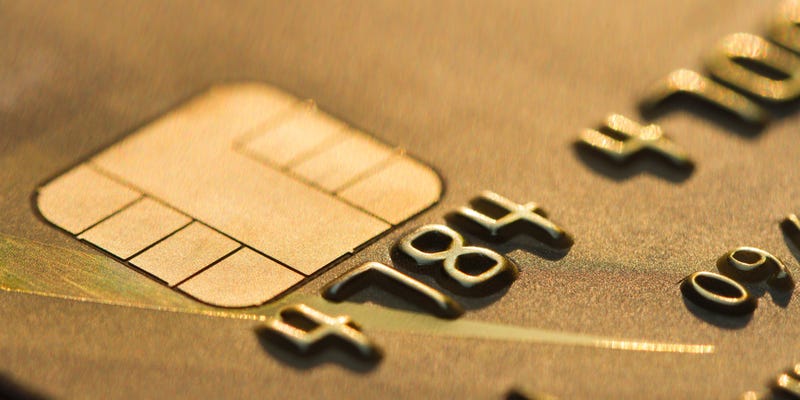
Cyber criminals have already figured out a way to hack the new chip-and-PIN credit card system currently being introduced at businesses throughout the United States. Five French citizens have been convicted of manipulating vulnerabilities in the system with a card-switching technique that included substituting the PIN on a stolen card with a cheap piece of plastic.


French researchers from the École Normale Sperieure, a technology university, published a research paper revealing the case of five thieves who were arrested in 2011 and 2012 for spending 600,000 euros (roughly $680,000) with stolen credit cards. Using X-ray analysis and other microscopic scans, the researchers figured out that the criminals actually inserted a second chip onto stolen chip-and-PIN cards, enabling them to dupe the PIN verification on many registers' point-of-sale (POS) terminal.

The fake chip, known as a FUNcard, enabled the thieves to carry out a Man In The Middle attack, which involves intercepting communications on the point-of-sale (POS) terminal. When a shopper inserts his or her card into a POS terminal, the terminal automatically tries to verify its authenticity. In this case, the FUNcard was waiting with its own, fake “yes” signal when the authenticity check arrived.

“The attacker intercepts the PIN query and replies that it's correct, whatever the code is,” ENS researcher Remi Geraud toldWired magazine Tuesday. “That's the core of the attack.”

Until 2011, the concept of spoofing the PIN on a chip-and-PIN card was largely theoretical. A group of Cambridge University researchers discovered similar flaws, but this French crime ring appears to have been the first time the trick was discovered in the wild. Malicious software used on ATMs in Russia and Europe has also broken through chip-and-PIN safeguards, allowing thieves to drain ATMs of cash in at least one case.